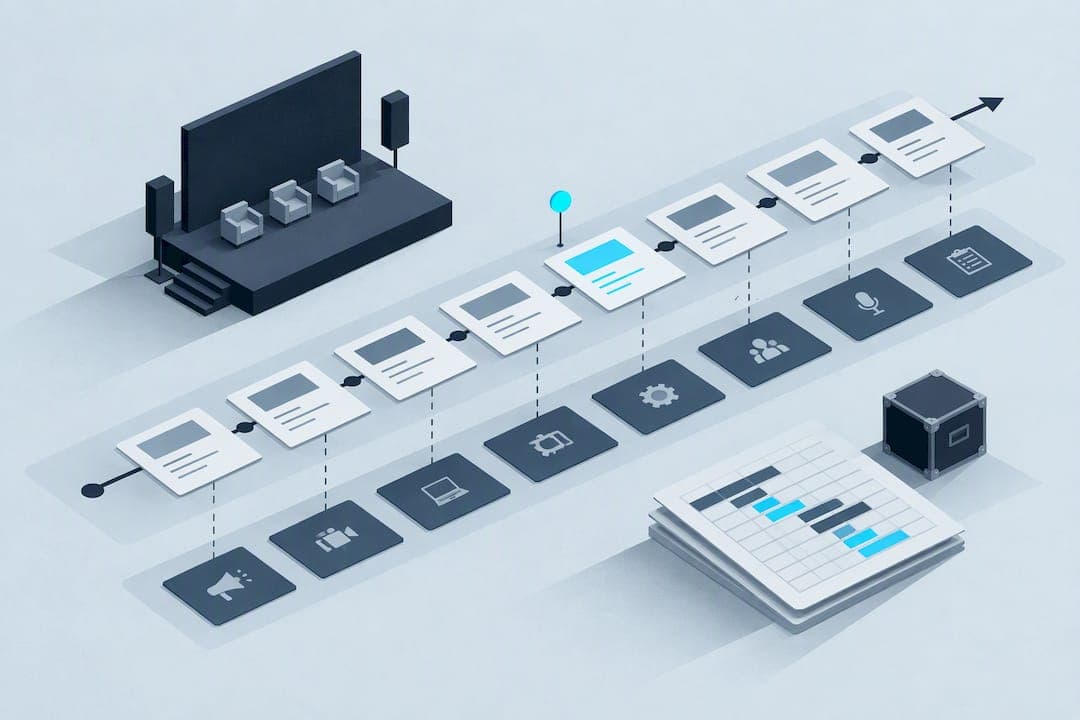
An event run of show is the team-facing, minute-by-minute script that tells every crew member what happens, when, and who owns it. The core benefit is simple: it keeps technical cues, transitions, and handoffs synchronized so nothing stalls on the day. This guide walks through what to include, how to build one step by step, and gives a copyable minute-by-minute sample plus a spreadsheet-ready layout.
TL;DR:
- Build the attendee agenda and high level schedule first, then convert them during preproduction into an internal cue sheet with owners and technical instructions.
- Include event details, emergency contacts, a named decision maker, and cue rows with start time, duration, owner, technical notes, and asset references.
- For larger productions, keep one master timeline as the source of truth, separate team tabs, and timestamp revisions after each rehearsal.
- Run a technical check and full dress rehearsal, identify two or three recoverable segments, and prepare fallback assets for failed cues.
- For hybrid events, schedule parallel in person and remote cues, add latency buffers, and document the handoff between onsite AV and virtual production teams.
Table of Contents
- What a run of show is and how it differs from an agenda and a schedule
- Essential elements and columns every run of show needs
- How to create a run of show, a step-by-step workflow you can follow
- Minute-by-minute sample run of show and a spreadsheet-ready template layout
- Tools, formats, and adapting a run of show for in-person, virtual, and hybrid events
- On-the-day execution, cue calling best practices, and contingency scripts
- A production-minded take on why the run of show matters
- FAQ
- Sources
What a run of show is and how it differs from an agenda and a schedule
A run of show is an internal, operational document built for the production team: stage managers, AV operators, hosts, and crew. It is not meant for attendees. A run of show, as outlined in event planning guides, lists the exact sequence of actions, cues, and technical requirements, timed down to the minute, so the people executing the event know precisely what comes next and who is responsible.
An agenda, by contrast, is public-facing and high-level. It tells attendees that a keynote runs from 10:00 AM to 10:45 AM, nothing more. A schedule often sits between the two: a planning tool used earlier in the process to block out sessions before the operational detail gets added.
Confusing these documents causes real problems. Handing a stage manager an attendee agenda leaves out cue language, technical notes, and ownership, exactly the information needed to execute live. The documents map to different phases of the event lifecycle:
- Planning phase: build the high-level schedule and agenda first.
- Pre-production phase: convert the schedule into a detailed run of show with minute-level cues.
- Execution phase: the run of show becomes the live reference document the team follows in real time.
Each document has a job. Mixing them up is one of the most common and avoidable coordination mistakes in event production.
Essential elements and columns every run of show needs
A usable run of show needs two layers of information: header metadata that applies to the whole event, and per-row columns that apply to each cue. According to a run-of-show example from Charlotte's event planning resources, run-of-show documents typically use a spreadsheet-style layout where each row represents a single cue or action.
Header metadata should include:
- Event name, date, and venue or platform details.
- Wifi network and password for on-site teams.
- Tech contact names and phone numbers.
- Show caller or stage manager name, clearly marked as the final decision authority.
Per-row columns, based on the same source, should cover:
- Start time and duration for each segment.
- Segment name and a short cue or script line.
- Owner, meaning the specific person responsible for that action.
- Tech notes, covering lighting, audio, or camera instructions.
- Visuals or slide references and named asset files.
- A contingency flag marking segments with built-in flexibility.
- A notes column for anything that does not fit elsewhere.
For larger events, a single document gets unwieldy fast. The same source recommends a multi-sheet strategy: one master timeline tab that tracks the overall flow, with separate tabs for AV, stage, and front-of-house tasks so each team sees only what applies to them.
Pro Tip: Keep the master timeline as the single source of truth and sync updates to it first; circulating changes from anywhere else during rehearsal creates version conflicts fast.
How to create a run of show, a step-by-step workflow you can follow
Building a reliable run of show follows a predictable sequence, whether you are running a product launch or a community panel discussion.
- Collect your inputs first. Gather the attendee-facing agenda, speaker timing requests, AV riders, sponsor obligations, and any assets like slide decks or video files before you open a spreadsheet.
- Draft a high-level timeline. Block out sessions at the hour or half-hour level before adding minute-level detail. This keeps the big picture clear while you work through specifics.
- Assign owners and confirm responsibilities. For each segment, name who operates what, and designate one person as the final decision authority, usually the show caller, so conflicting instructions never reach the floor mid-event.
- Populate minute-by-minute cues. Fill in exact start times, cue language, and tag each row with its associated asset. Add a fallback action for cues that are likely to slip or fail.
- Run rehearsals and revise. A guide to building an association event run of show recommends a tech run followed by a full dress rehearsal, with updates logged to the document after each pass. Rehearsals surface timing problems a desk review never catches.
- Distribute the final version. Produce a live shared document for real-time updates, printed run sheets for backstage crews without screen access, and a locked PDF snapshot as the record of what was planned going in.
Pro Tip: Mark two or three segments in advance as "recoverable," places where you can shave a minute or two without affecting anything downstream. Having that margin identified ahead of time turns a stressful time slip into a routine adjustment.
Minute-by-minute sample run of show and a spreadsheet-ready template layout
A short, annotated sample does more for team readiness than a long written checklist, because it makes timing and ownership explicit instead of descriptive. Here is a 30-minute segment formatted the way a production team would actually use it.
| Time | Duration | Segment | Cue | Owner | Tech notes |
|---|---|---|---|---|---|
| 6:00 PM | 5-min | Doors open, house music | Play pre-show playlist | AV lead | House lights at 70% |
| 6:00 PM | 10 min | Guest check-in | Greet and badge guests | Front-of-house | Confirm wifi signage visible |
| 6:15 PM | 3 min | House lights down | Cue lighting change | Lighting op | Fade over 30 seconds |
| 6:20 PM | 2 min | Host walk-on | Host takes stage, mic live | Stage manager | Confirm mic pack battery |
| 6:20 PM | 8 min | Welcome remarks | Host delivers opening | Host | Slide deck cue 1 loaded |
| 6:30 PM | 2 min | Transition to keynote | Lower house lights further | Lighting op, AV lead | Have backup slide file ready |
Each row follows the same logic recommended in run-of-show examples: time, duration, description, owner, and technical notes, so anyone glancing at a single row knows what to do without needing context from the rest of the document.
For a spreadsheet-ready version, structure the workbook this way:
- A header block at the top with event name, date, venue, and emergency contacts.
- One tab per production area (AV, stage, front-of-house) plus a master timeline tab.
- A version number and timestamp in the file name, updated after every rehearsal.
- A read-only, exported copy printed for backstage use so live edits do not create confusion mid-show.
Naming conventions matter more than they seem to. A file labeled "ROS_v3_tech-run-final" tells a crew member exactly what they are holding, while generic names like "updated" invite someone to work from the wrong version.
Tools, formats, and adapting a run of show for in-person, virtual, and hybrid events
Most teams build run-of-show documents in Google Sheets or Excel because they are easy to edit live and simple to share across a crew with no learning curve. Project management platforms add structured task assignment and notifications, which helps larger teams but adds setup time that smaller events may not need.
Virtual events require a different set of cues. A run-of-show template built for modern event formats recommends adding fields for stream keys, encoder notes, and a clear column marking who controls slides at each moment, since host and presenter roles often shift during a virtual broadcast. The same source suggests tracking presenter upload status explicitly, so a missing video file surfaces before airtime rather than during it.
Hybrid events combine both worlds and need their own adjustments:
- Parallel cue columns for in-person and remote actions happening at the same timestamp.
- Buffer time built in for remote-presenter latency, since video calls rarely cut over instantly.
- A clear handoff point between on-site AV and the virtual production team, documented as its own cue.
Choosing the right format comes down to event complexity: simple in-person events rarely need more than a well-organized spreadsheet, while hybrid shows benefit from the added structure.
On-the-day execution, cue calling best practices, and contingency scripts
Clear roles and consistent communication matter more than the document itself once the event is live. One person calls cues, usually over headset, and everyone else listens and confirms rather than freelancing. Educational run-of-show resources stress that contingency planning, fallback assets, time buffers, and clear escalation, is essential, not optional.
Three contingency patterns cover most live problems:
- Time slip: shorten a transition segment rather than cutting content, using the recoverable minutes flagged in advance.
- Tech failure: switch to a fallback asset immediately and hold with music or a static slide rather than leaving dead air.
- Talent no-show: cue a prepped stand-in or extend the host's introduction while the team adjusts.
Time checks keep everyone calibrated: call out status at natural breaks, not just when something goes wrong, so the whole team knows whether to speed up, hold steady, or absorb a short delay.
Pro Tip: Announce a time adjustment out loud the moment you decide on it, not after the next segment already started. A ten-second heads-up over headset prevents a cue from firing at the wrong moment.

A production-minded take on why the run of show matters
I once watched a 15-minute speaker delay cascade into a 40-minute closing crunch because nobody had flagged recoverable time anywhere in the document. A well-built run of show stops that kind of slide before it starts. Keep it editable right up to final call time; a locked document is a document nobody trusts.
— cameron
FAQ
What is a run of show for an event?
A run of show is an internal, minute-by-minute document that lists every cue, segment, and technical action for an event, along with who owns each one. It is built for the production team rather than attendees, and it is what keeps lighting, audio, and staging synchronized during live execution.
How do I create a run of show for an event?
Start by gathering your agenda, speaker timing, and technical riders, then build a high-level timeline before filling in minute-by-minute cues. Assign a clear owner to each row, run a tech and dress rehearsal to catch timing issues, and distribute a final version as both a live shared document and a printed backup.
What is a run of a show?
A run of show is the detailed script a production team follows to execute an event, covering exact timing, cues, and technical notes for each segment. It differs from a public agenda because it is internal, operational, and timed to the minute rather than summarized for attendees.
Can you provide an example of a run of show?
A typical run-of-show row might read: 6:20 PM, 8 minutes, welcome remarks, host delivers opening lines, slide deck cue loaded, lighting at 70%. Full examples lay out an entire event this way, row by row, from doors-open through closing.
Sources
- Event Run Of Show Explained | Events101
- Run of Show example (PDF)
- How to Create an Association Event Run of Show + Template
- Run-of-show template (Asana)