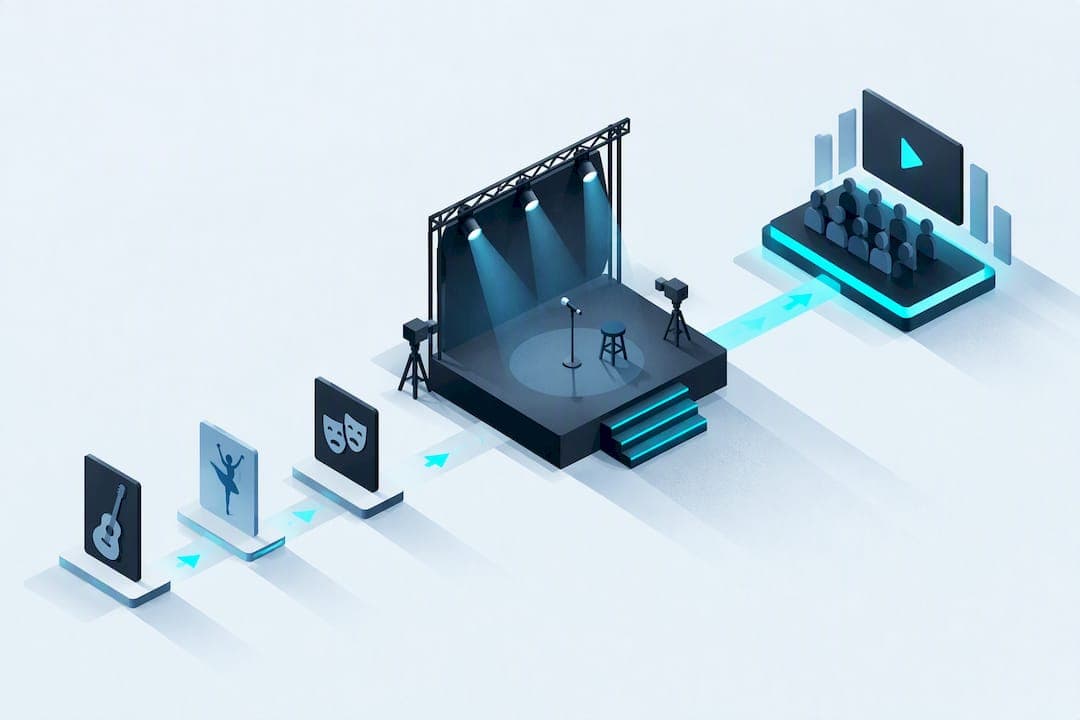
The strongest online talent show ideas fall into a handful of camera-friendly categories: short musical performances, quick comedy bits, visual art time-lapses, hands-on demos, and interactive audience challenges. Most acts should run between one and four minutes, since online attention spans drop fast past that point. Platform choice and basic tech prep decide whether any of these ideas land or fall flat.
TL;DR:
- Choose Zoom when two way performer interaction and chat matter; YouTube Live suits larger audiences but offers less direct participation.
- Standard video platforms add enough audio delay to disrupt live group music, so use synchronized prerecorded layers or have performers mime to a backing track.
- Announce whether viewers, judges, or both decide the winner, explain tie rules beforehand, and use one consistent method throughout the show.
- Confirm music permissions and platform rules before streaming covers or backing tracks, and prepare alternatives because copyright matches can mute or block performances.
- Run a full rehearsal on the actual device and connection, keep backup recordings, and assign crew members to manage muting and screen sharing.
Table of Contents
- 1. Talent show ideas grouped by performer type
- 2. How do you adapt a traditional act for an online format?
- 3. What tech and engagement setup keeps an online show running smoothly?
- 4. How community voting and discovery extend the show's momentum
- 5. What legal and copyright issues apply to online talent shows?
- 6. How do you build a fair and transparent voting system?
- 7. What audience participation ideas go beyond basic voting?
- 8. How do you incentivize participation and audience engagement?
- My week-of checklist as a show organizer
- Turn your show into ongoing visibility with The Push Arena
- FAQ
- Sources
1. Talent show ideas grouped by performer type
A good online lineup mixes categories so the show never feels repetitive. Here is a working list organized by who is performing and what makes each act translate well on screen, based on common groupings used across published talent show idea lists, which typically sort acts by type and audience fit according to talent show idea collections.
Solo musical acts
- A short original song or acoustic cover works well with a single performer and simple framing.
- Beatbox routines and loop-station demos hold attention because the visual rhythm matches the audio.
- Mic tip: a basic USB condenser mic beats a laptop's built-in microphone every time, and a pre-recorded backing track avoids streaming lag during instrumental sections.
Dance and choreography
- Short routines (60 to 90 seconds) read better online than long sequences because viewers lose track of formations on a small screen.
- Glow-stick or costume micro-routines add visual punch without needing a full stage.
- Lip-sync acts with simple props work surprisingly well since timing matters more than vocal skill.
- Framing note: wide shots that capture full-body movement beat tight close-ups for anything choreography-based.
Comedy and spoken word Short stand-up sets, slam poetry, and funny monologues all suit the format if performers trim to their strongest material. Online comedy depends on pacing: a joke that needs 30 seconds of setup on stage often needs tightening to 15 seconds on camera, since viewers are one click from distraction.
Visual art and time-lapse Speed-painting, digital art time-lapses, and live craft or DIY demos are some of the most naturally virtual-friendly acts available. Educator-focused resources list digital art time-lapses and similar tech-forward formats as particularly well suited to virtual showcases, according to creative talent show ideas. A camera positioned for a close-up on the canvas or workspace, with the final reveal edited in, keeps these acts compelling even when the process itself is slow.
STEM and novelty demos Live coding challenges, simple robot demos, and magic tricks adapted for camera angles are growing categories for virtual shows. These acts need a pre-check: coding demos should have a backup file ready in case live execution fails, and magic acts need camera angles tested in advance since a trick that fools a live room can look obvious through a lens.
Interactive and audience-driven acts Live polls, group sing-alongs, duet karaoke with an audience member, and short talent challenges turn viewers into participants rather than passive watchers.
Group and ensemble ideas Medleys, family acts, and virtual choirs built from pre-recorded layers or synchronized sing-alongs solve the latency problem that kills live group music online.
Kid-friendly acts Pet tricks, short skits, show-and-tell performances, and costume fashion walks are consistently popular additions for family and school shows, with teacher-focused resources highlighting staging tips for exactly these formats, as described in talent show ideas for schools.
2. How do you adapt a traditional act for an online format?
Moving an act from a stage to a screen means rethinking audio, video, and timing before anything else.
Audio checklist
- Use a USB mic or a decent headset instead of a laptop's built-in mic.
- Test input levels before the show, not during it.
- Prepare a clean backing track and keep a local copy as a fallback if streaming cuts out.
Camera checklist
- Set up a stable tripod rather than a hand-held phone.
- Light the performer from the front, not just overhead, to avoid shadowed faces.
- Choose a simple, uncluttered background or a themed backdrop that will not distract from the act.
Latency-sensitive acts Multi-person live jamming almost always breaks down over standard video platforms because of audio delay. A pre-recorded sync, or a split format where one performer plays live while others mime to a backing track, holds together far better than attempting true live group music unless the show is running on a specialized low-latency platform.
Editing and pacing Trim performances to their strongest 60 to 180 seconds. A quick intro or outro can smooth the transition in and out of a longer piece without padding the middle.
Accessibility Caption pre-recorded segments and offer live captioning where the platform supports it. Visual acts benefit from a short descriptive narration so viewers who cannot see details clearly still follow along.
Pro Tip: Record a full rehearsal on the same device and connection you will use for the live show. Problems that are invisible in person usually show up immediately on playback.
3. What tech and engagement setup keeps an online show running smoothly?
Organizers need to pick tools before they pick acts, since platform limitations shape what is possible.
Platform tradeoffs Meeting tools like Zoom give performers and hosts real two-way interaction, which suits smaller shows where chat and video responses matter. Streaming tools like YouTube Live handle larger audiences better but trade away some of that interactivity. Either way, chat moderation, screen-share control, and a managed performer roster are non-negotiable production tasks.
Simple voting workflows
- Embed a live poll tool directly in the stream for instant audience voting.
- Use a form-based judging system with a fixed time window if judges need more than a quick reaction.
- Run a single applause-style audience poll for lighter, informal shows where ranking matters less than participation.
Host and pacing Keep the full run under 90 minutes, schedule a short intermission if the show runs long, and give the host clear cues to prompt voting and audience reactions between acts.
Production checklist
- Run a full tech rehearsal with every performer before the live show.
- Keep backup media and a cue sheet for the host.
- Assign specific people to handle mute and unmute, screen-share, and performer arrival windows.
4. How community voting and discovery extend the show's momentum
Public voting does more than crown a winner. Rounds and leaderboards keep audiences coming back, and they give acts that might get overlooked in a single show a second chance to build an audience over time. A platform built around the Push Arena applies this same logic: creators enter publicly, the audience votes to amplify who deserves more visibility, and the process stays transparent from entry to result.
Visibility should come from the audience's direct choice, not from a single night's applause.
— cameron
5. What legal and copyright issues apply to online talent shows?
Running a talent show online does not remove copyright rules, it adds platform-specific ones. Performers covering a song, using a backing track, or playing recorded music during a routine are using someone else's intellectual property, and streaming that performance publicly can trigger copyright claims from the platform hosting the stream. Organizers should ask performers in advance whether they are using original material, licensed tracks, or covers, and should have a backup plan if a platform mutes or blocks a segment over a copyright match.
Likeness and consent matter too, especially with kid-friendly shows. Getting a simple release from each performer, or a parent for minors, covering recording and future use of the footage avoids disputes later if the show is shared or archived.
Platform terms of service also apply. Streaming tools and meeting platforms each set their own rules about music use, monetization, and content moderation, and those rules vary by service and by region. Organizers should check the specific platform's current terms before planning a show that depends on licensed music, ticketed access, or monetized streaming, and treat any uncertainty as a reason to confirm with the platform directly rather than guess. None of this requires a lawyer for a small community show, but a quick read of the platform's music and content policies before the event prevents a mid-show takedown.

6. How do you build a fair and transparent voting system?
A voting system only works if performers and the audience trust the outcome. The simplest fix is choosing one clear method and sticking to it instead of mixing criteria mid-show.
A single-question poll, where viewers vote on their favorite act after each performance, reduces counting errors compared with multi-criteria scoring sheets that ask judges to weigh technique, creativity, and stage presence separately. Time-limited form submissions work well for judged formats: set a clear window, like two minutes after each act, and close the form automatically so late votes cannot skew results.

Publishing the method ahead of time matters as much as the method itself. Tell performers whether the audience, a judging panel, or a mix of both decides the outcome, and share how ties will be broken before the show starts, not after. If a platform or community uses rounds and public voting over several events, keeping the same scoring approach each time builds trust that the system is not shifting to favor particular acts.
7. What audience participation ideas go beyond basic voting?
Voting keeps viewers invested, but it is not the only way to turn a passive stream into an interactive event. Research on remote music performances found that audiences become active participants in digital shows when platforms give them real-time interaction tools, and that chat, polls, and emotes matter more to audience satisfaction than production polish alone in small to medium shows, according to research on remote performance audiences.
Live chat during each act lets viewers react in real time without interrupting the performance, and a host reading a few highlights between acts makes the audience feel part of the show rather than watching from outside it. Quick polls between segments, like guessing which act will perform next or rating energy level, keep engagement steady during transitions. A dedicated hashtag or shoutout segment where the host reads audience comments by name adds a personal touch that a pure voting system misses.
8. How do you incentivize participation and audience engagement?
Performers show up for recognition as much as prizes, and audiences stay engaged when there is a reason to keep watching past the first few acts.
Small prizes, like a gift card or feature on the organizer's social channels, give performers a tangible reason to prepare a polished act rather than a last-minute one. Public recognition often works just as well: a "fan favorite" title voted by the audience, separate from the judged winner, rewards acts that connect emotionally even if they are not technically the strongest. For audiences, raffle entries tied to voting participation, or a shoutout to the most active chat participants, keep viewers engaged through the full runtime instead of dropping off after their favorite act finishes. A nonprofit fundraiser or benefit-style show can lean on this further by tying ticket tiers to perks like early voting access, a detail covered in practical terms by ticket tier strategies for events.
My week-of checklist as a show organizer
In the final week, I confirm the run order and send the host a finished script so there are no surprises mid-show.
- I schedule a full tech run with every performer and collect a backup recording from each one.
- I send audience reminders with the exact joining link, start time, and any voting instructions.
- I double-check that whoever handles mute, unmute, and screen-share knows the cue sheet cold.
Turn your show into ongoing visibility with The Push Arena
Running one great show gets an act seen once. We built the Push Arena so creators can keep that momentum going through public voting, ranked rounds, and leaderboards that spotlight talent the audience chooses to support.

Organizers can point performers toward the Arena entry page after the show to keep the audience voting and engaging long after the stream ends. See how rounds work on the Arena Rounds page and start building a creator's visibility today.
FAQ
What are some talents to do at a talent show?
Strong online options include short musical performances, comedy sets, dance routines, visual art time-lapses, magic tricks, and interactive challenges like duet karaoke. The best choices run one to four minutes and translate well through a single camera angle.
What are some of the talent shows on TV?
Televised talent shows typically feature singing, dancing, comedy, and variety acts judged by a panel with audience voting components. The same act categories, music, dance, comedy, and novelty acts, adapt directly to an online format with some camera and timing adjustments.
How do you put together a talent show?
Start by setting a run order, choosing a platform that fits your audience size, and scheduling a full tech rehearsal with every performer. Decide on a voting method in advance, prepare a host script, and keep the total show under 90 minutes to hold attention.
What are some creative talent show ideas for 9-year-olds?
Kid-friendly ideas that work well on camera include pet tricks, short skits, show-and-tell performances, and costume fashion walks. Simple group singalongs and short choreography routines also suit this age group since they are easy to rehearse and fun to watch live.